
Professional TV Mounting in
Mississauga
Expert TV wall mounting for Mississauga homes, condos, and townhouses — from mount selection and soundbar installation to cable concealment and new-home setup planning, backed by a 2-year hardware warranty.
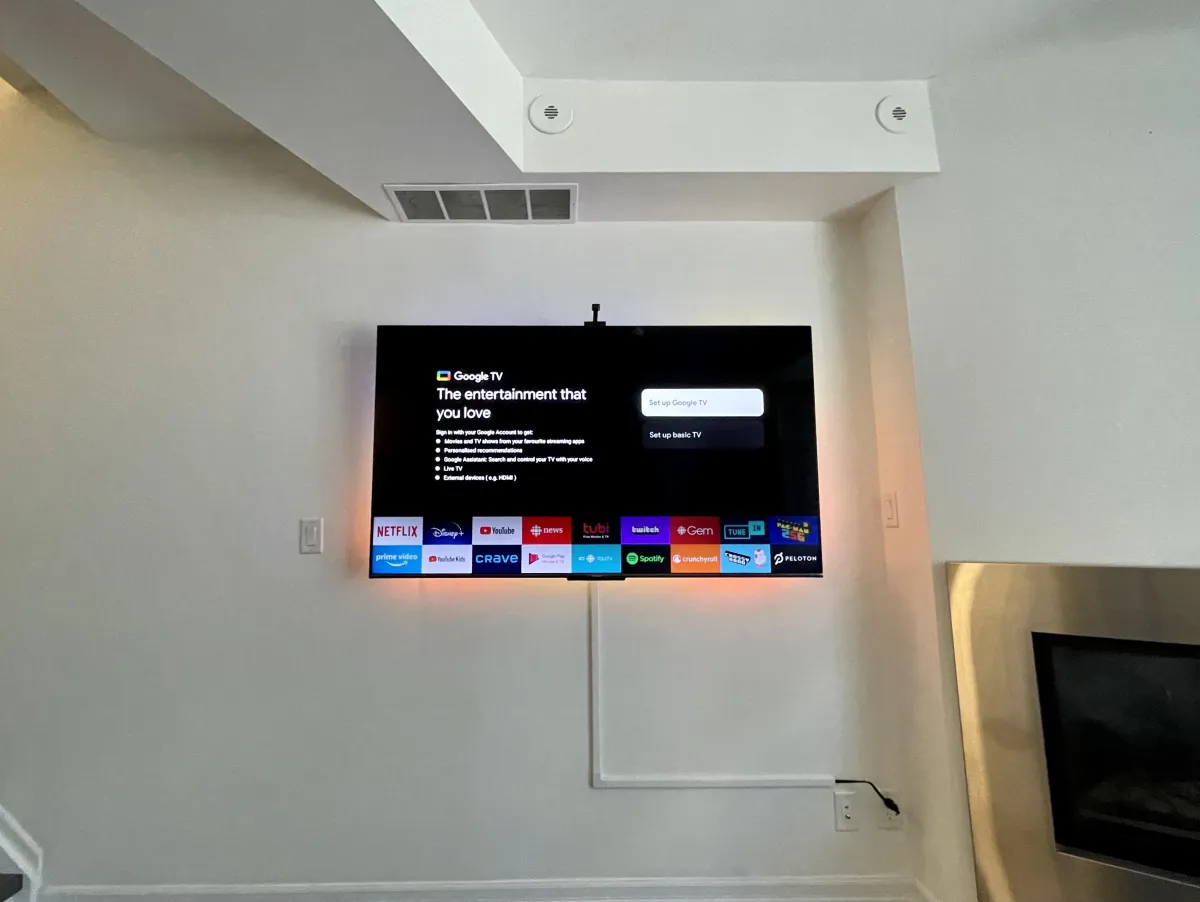
Right Bracket, Right Wall
From new-home planning to TV upgrades and large-screen installs
TV Mounting for Mississauga Homes and Condos
From City Centre high-rises to Port Credit heritage homes, the right mount depends on the wall you're drilling into and how the room is used.
Condo Apartments
Higher-density builds around City Centre and Square One often use metal studs with drywall. We confirm stud type and use the correct toggle anchors so the bracket holds the TV's full weight.
Townhouses
Stacked and side-by-side townhouses in Meadowvale, Churchill Meadows, and Streetsville typically have wood-stud interior walls. which take lag bolts cleanly. We plan cable routing around shared walls and fire separations.
Detached & Semi-Detached
Established neighbourhoods like Port Credit, Clarkson, and Erin Mills have a mix of older and renovated homes. We assess the actual wall — plaster, drywall, or masonry — before choosing hardware.
Renovated & Newly Occupied
If you've just moved in or finished a renovation, we check that the intended wall is structurally sound and that outlets are where your plan expects them before we drill.
Moving In? Plan Your TV Setup Before Installation
A few decisions made before furniture arrives save a re-do later. Here's what to sort out while the room is still empty.
Choose the Intended TV Wall
Pick an interior wall with a stud cavity where possible — it's the easiest to mount and to conceal cables. Avoid exterior insulated walls and solid concrete demising walls where in-wall routing isn't an option.
Check Available Power Outlets
Note where the nearest outlet sits on the wall. A receptacle behind the TV or just below it means no visible cord; an outlet across the room means planning a longer cable run or a new receptacle.
Consider Furniture Placement
Centre the TV on the wall relative to where you actually sit, not just where the wall looks symmetrical. Plan the mount so the screen lines up with your seating before furniture arrives.
Select a Comfortable Viewing Height
Eye level from your seated position is the starting point — usually 40–42 inches from the floor to the centre of the screen for a living-room TV, higher and tilted down for a bedroom.
Plan Soundbar Placement
Decide whether the soundbar hangs from the TV bracket, mounts to the wall beneath, or sits on a media console, and plan the audio cable run to the TV's HDMI eARC port at the same time.
Plan Cable Concealment Early
It's easier to route cables before furniture is in place. Decide between in-wall routing (drywall) and surface raceway (concrete or brick) based on the wall you're mounting to.
Upgrading Your TV? Check Your Existing Mount First
A new television doesn't always mean a new bracket. Here's what to verify before reusing the mount that's already on your wall.
New TV Dimensions & Weight
A larger or heavier replacement may exceed the existing bracket's rated capacity. Check the new TV's listed weight and diagonal size against the bracket's spec before assuming it will fit.
VESA Mounting Pattern
The new TV's VESA hole pattern (e.g. 200×200, 400×400) must match the bracket's interface. A mismatch means the bracket can't be attached at all, regardless of weight rating.
Bracket Weight Rating
Even within the rated size range, a TV near the top of the weight limit on a full-motion arm can sag over time. we assess the actual install, not just the spec sheet, before recommending reuse.
Mount & Hardware Condition
Older brackets can fatigue, corrode, or have stripped hardware from a previous install, we inspect the bracket and anchors before reusing them with a heavier screen.
Screen Positioning
A larger screen at the same height may sit too close to a ceiling or overlap a soundbar, we confirm the new TV clears furniture, art, and fixtures at the planned height.
Structural Suitability
If the original install was sized for a lighter TV, the studs, anchors, or wall may not be suitable for a heavier replacement. we verify the wall and hardware can still carry the load.
Send Us Your Mount & TV Details
Include your current bracket's make and model and the new TV's model number. We'll confirm whether it's safe to reuse or recommend a suitable replacement.
Planning a Larger TV Installation?
Bigger screens concentrate more weight on fewer anchor points. Here's what we check before mounting a 65"+ television.
Confirm Wall Can Carry the Load
Large screens weigh more and concentrate that weight on the bracket's anchor points. We verify stud location and anchor rating before mounting a 65"+ TV, especially on metal-stud walls.
Match Bracket to Screen Weight
A 75"+ TV needs a bracket rated well above its listed weight, not just at the limit. Full-motion arms add leverage that effectively increases the load at the wall, so we size up the bracket accordingly.
Plan TV Positioning & Room Layout
A large screen in a smaller room needs careful placement so it doesn't overwhelm the space. We help match screen size to viewing distance and position the TV so the room still works.
Plan Installer Access & Handling
Larger TVs need two people to lift and mount safely. We plan the route from your door to the wall, including elevator or stair access in condo and townhouse buildings, before the appointment.
TV, Soundbar & Cables, Tidy
Soundbars & Cable Planning Done Right
A soundbar and a clean cable run turn a wall-mounted TV into a finished entertainment setup. We plan the soundbar position, the cable route, and the power outlets together so everything works the day we leave.
Position Relative to the TV: A soundbar works best centred directly below or above the TV, within a few inches. We plan the mount so the soundbar lines up with the screen and the audio cable reaches the TV's HDMI eARC port.
Organize & Conceal Cables: Power, HDMI, and optical cables are routed together where possible, and concealed in-wall or in paintable raceway so nothing dangles below the soundbar.
Plan Around Electrical Outlets: The soundbar needs its own power, so we plan placement around existing outlets or plan a new receptacle location before the install so power and signal both reach the wall.
Keep Connections Accessible: We route cables so future device swaps — a new streaming box, a game console, or a soundbar upgrade — don't mean re-running cables through the wall.
Professional TV Installation Services in Mississauga
Every installation includes a wall assessment, precision levelling, and a thorough clean-up — whatever surface we're mounting to.
TV Wall Mounting
Precision mounting for 32" to 85"+ displays on drywall, wood studs, metal studs, concrete, and brick — whatever your Mississauga home is built with.
Fixed, Tilting & Full-Motion Mounts
Low-profile fixed mounts for clean feature walls, tilting brackets for glare, and articulating arms that pull out and angle toward a kitchen or seating area.
Soundbar Installation
Soundbars mounted to the TV bracket or flush to the wall beneath, with the audio cable routed so nothing dangles below the screen.
Cable Concealment
In-wall routing on compatible drywall, or paintable surface raceway on concrete and brick where in-wall runs aren't permitted.
Home Theatre & Multi-Device Setup
Streaming boxes, soundbars, and game consoles connected and organized so your living room works as a clean entertainment space.
Concrete, Brick & Drywall Mounting
The right anchor for the wall — toggle anchors for metal studs, lag bolts into wood studs, and expansion anchors for concrete and masonry.
What Our Clients Say
Customers consistently praise prompt, professional, and tidy installations with strong communication, technical expertise, and reliable same-day availability 7 days a week, subject to availability.
Why Mississauga Residents Choose Mount Masters
Licensed Electrician
Backed by a licensed electrician with 15+ years in construction. Safe cable routing, accurate stud location, and structural precision on every install.
HEPA Clean Drill Guarantee
Our drills connect directly to a HEPA-certified vacuum that captures dust at the bit, so your home stays clean — even when we're drilling into masonry.
2-Year Hardware Warranty
Every mount and piece of hardware we supply is backed by a 2-year warranty against defects. We guarantee your TV stays securely mounted and level.
7 Days a Week
Open 9:00am to 7:00pm daily. Same-day appointments available subject to availability. No credit card required upfront; free rescheduling.
Mississauga TV Mounting FAQs
Practical answers about mounts, upgrades, and planning your install.
Ready to Mount Your TV in Mississauga?
Get a personalized installation quote today. No credit card required, free cancellation, and same-day appointments available 7 days a week, subject to availability.